Everything you check first, before you ask
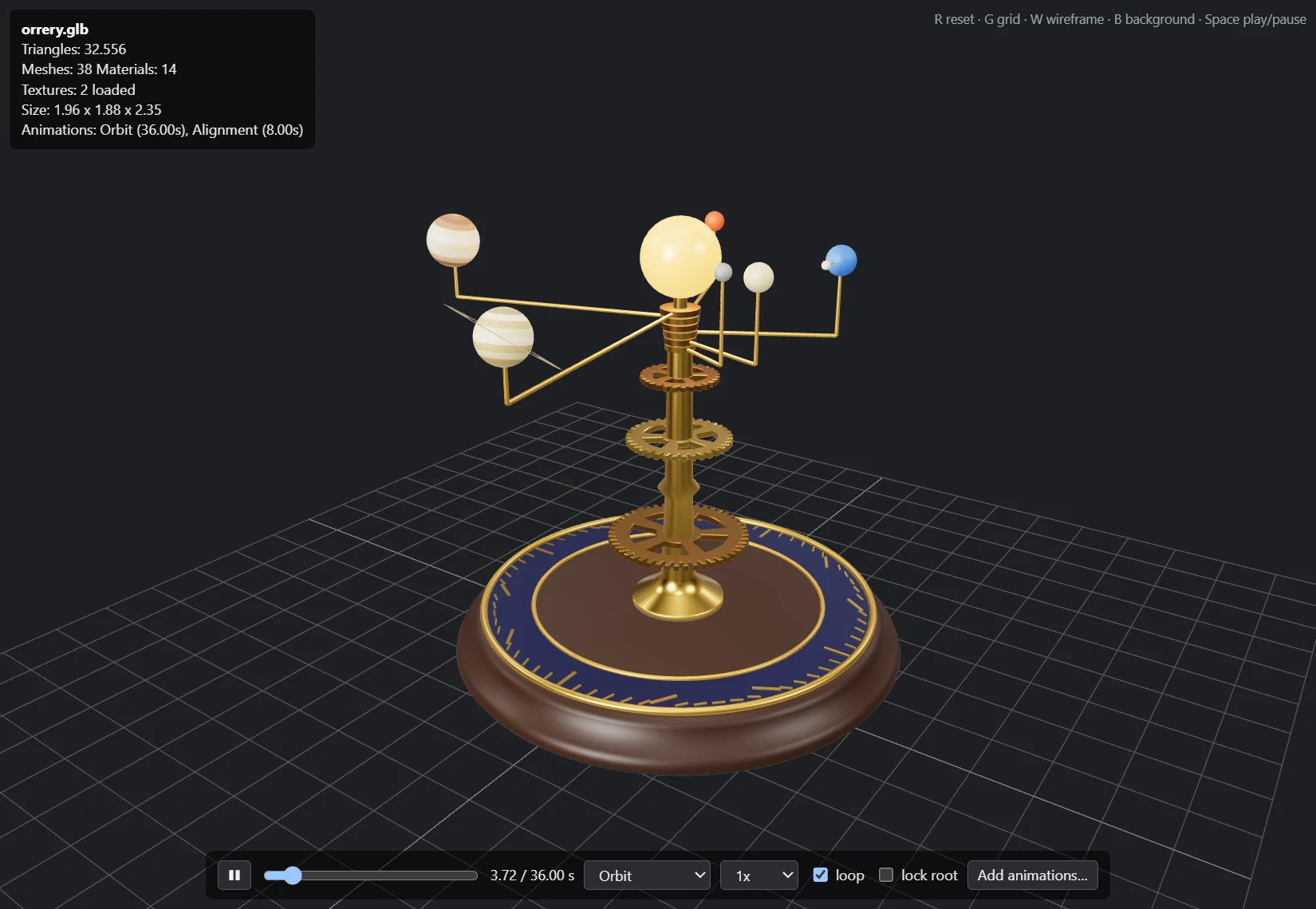
Open a file and Orrery does the five things you would do by hand: it frames the whole model, lights it with a studio environment, counts what is inside, finds its textures and starts the first animation.
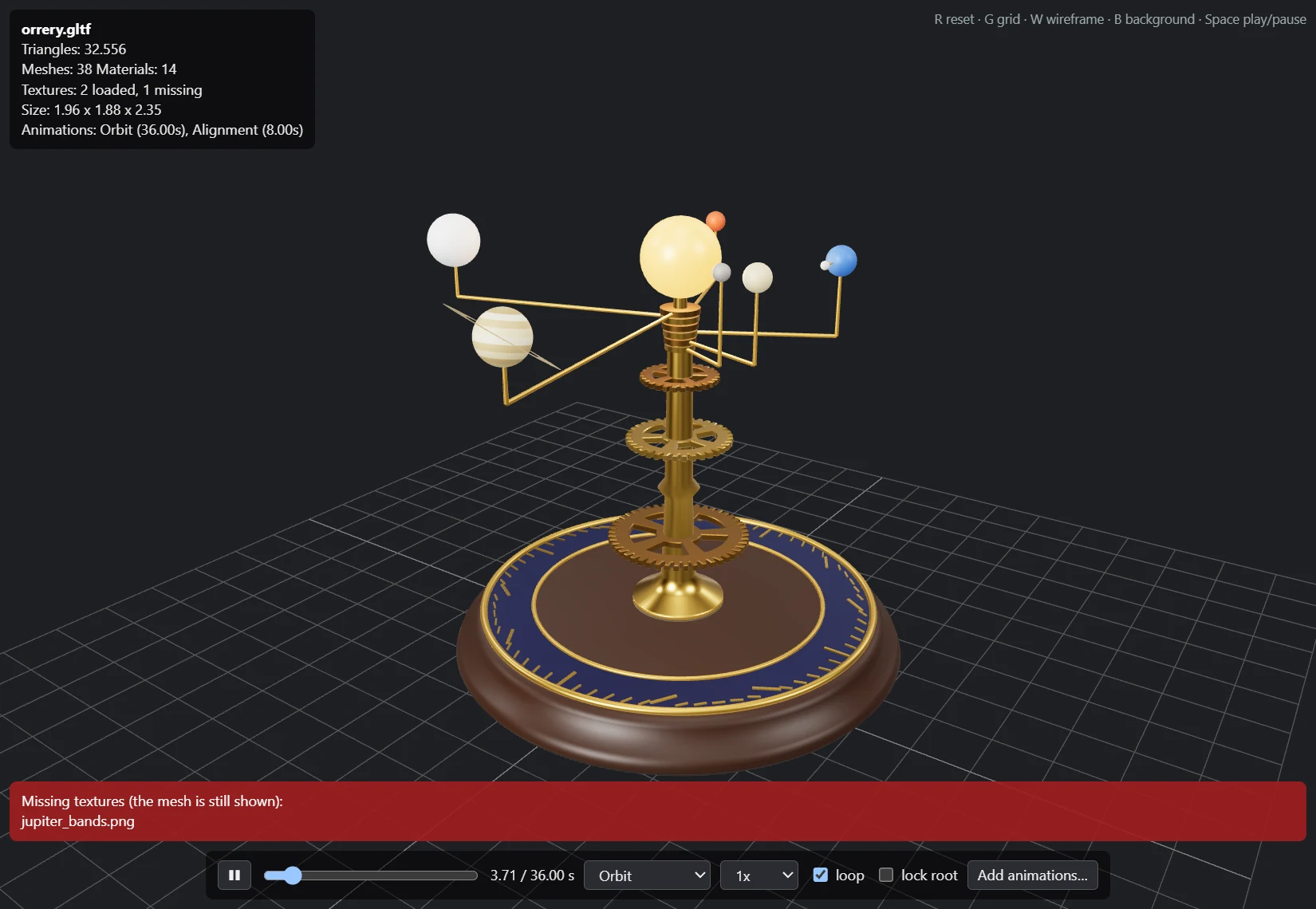
The overlay in the corner answers the usual questions about an asset you just downloaded or exported: how heavy it is, whether its textures made it, how big it is in its own units, and which clips it carries. When something is wrong, a banner says what, and the mesh is still shown.
Drag another file onto the window to switch. Hold Shift while dropping to add its animations instead.
The overlay, line by line
- Triangles
- Counted from the real index buffers, every mesh and skinned mesh.
- Meshes, Materials
- Draw calls at a glance; shared materials are counted once.
- Textures
- How many loaded and how many are missing, with the missing file names listed.
- Size
- The bounding box in the file's own units, so a centimetre FBX gives itself away.
- Animations
- Every clip with its length.
- R Reset view
- G Grid
- W Wireframe
- B Dark or light background
- Space Play or pause
Textures, found where the exporter left them
FBX files remember texture paths from the machine that made them: absolute paths on someone else's drive, backslashes, .. hops, a PSD where you have a TGA. Orrery tries the reasonable places in order and stops at the first file that exists.
- 1
Inside the file
Embedded images in GLB and FBX.
- 2
Next to the model
Paths relative to the model, including backslashes and ...
- 3
Where the FBX says
The exact absolute path written in the file, if it is an image.
- 4
By name, nearby
The same file name, or the same name with another image extension, in the model's folder tree (5 levels) and its parent's (4 levels).
- ×
Still missing
Listed by name in a banner. The mesh renders anyway.
PNG, JPEG, TGA, BMP, WebP, GIF and KTX2 images are read. PSD cannot be decoded, so a TGA or PNG with the same name is used when one exists.
Bone names, the way Orrery compares them
Play it, scrub it, borrow clips
The first clip plays as soon as the model appears. A control bar gives you play and pause, a timeline scrubber, speed from 0.25x to 2x, looping, a clip list and lock root, which keeps a walk cycle walking on the spot.
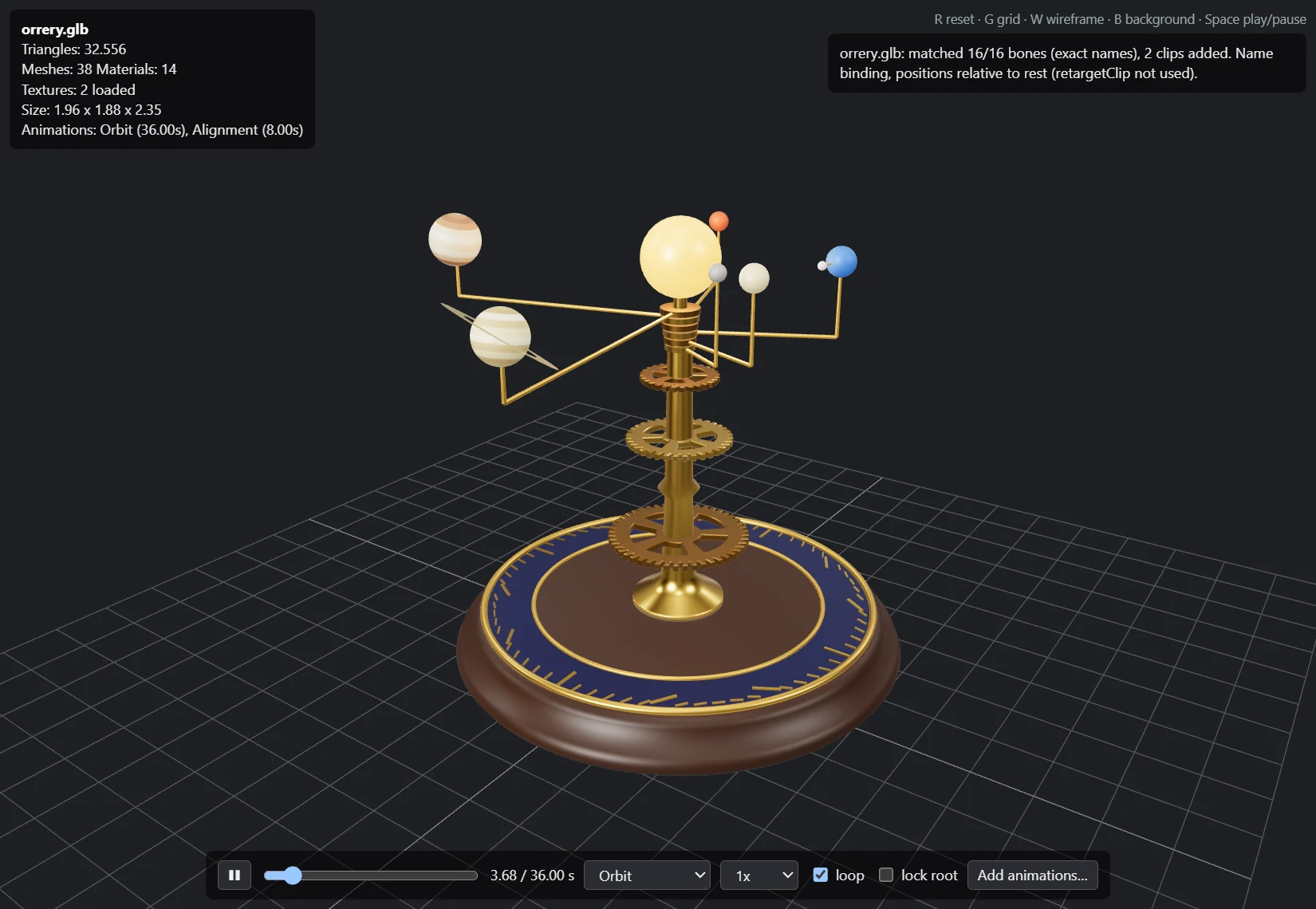
Have the character in one file and the motions in another? Press Add animations or Shift-drop the second file. Orrery binds its tracks to your model's bones by name, rescales positions by the median bone-length ratio (FBX centimetres onto metres) and applies them relative to the rest pose. It then tells you how it went, for example matched 52/65 bones
, and warns when too few matched.
This is name binding, not a full retarget: rigs with different naming schemes do not match.
Reads files. Never the network.
A model from the internet is a file from a stranger. Orrery treats it that way: the viewer can read the model you opened and the images and buffers it needs, nothing else, and it has no way to reach the network at all.
Served to the viewer
- The model that is open
- Images: png, jpg, tga, bmp, webp, gif, ktx2
- glTF
.bin buffers
- Only inside the model's folder or its parent, after links and junctions are resolved
- One exception: an image whose exact absolute path is written in the model
Refused
- Any other file type, other models,
../../ escapes
- UNC and drive-relative paths
http(s), ftp, ws and every other remote URL in a model, reported as remote resource blocked
- Navigation away from the viewer and new windows
The page inside Orrery runs under a strict Content-Security-Policy ('self', data:, blob: only). The file rules are covered by unit tests in src/resolve.rs. This page follows the same idea: the demo above reads only the files you hand it, in your browser.
Small enough to keep around
| The exe | 3.6 MB, three.js embedded |
|---|
| The download | 1.2 MB zip |
|---|
| Installer | none, unzip and run |
|---|
| Runtime | WebView2, already on Windows 10 and 11 |
|---|
Built in Rust on WebView2 with three.js r186. The window is dark from the first frame, and a loading screen with the file name covers long parses.
Lives in Explorer
register.ps1 adds Orrery to the Open with list for .fbx, .glb and .gltf. It writes only under HKCU\Software\Classes, needs no admin rights, and unregister.ps1 takes it out again.
Windows does not let programs make themselves the default, so you choose it once: right-click a model, Open with, Choose another app, Orrery, Always.
What it does not do yet
- FBX 7.x only; older files (6.1) fail with a message.
- No Draco, Meshopt or KTX2 decoders, so glTF files using them will not load.
- Parsing runs on the main thread; a very large FBX can take several seconds.
- Windows only for now.
Get Orrery
Latest version
Orrery , released . Windows 10 and 11, x64.
Download the zip
What's new
- Unzip it to a folder you will keep. The file association stores the exe's path.
- Optional: right-click
register.ps1, Run with PowerShell, to add Orrery to Open with.
- Right-click a model, Open with, Choose another app, Orrery, Always.
The exe is not code-signed yet, so SmartScreen may warn on the first start: choose More info, then Run anyway. Each release lists the SHA-256 of its zip.
Build from source
Needs a Rust toolchain and the WebView2 runtime.
git clone https://github.com/rennerdo30/orrery
cd orrery
cargo build --release
The exe is target\release\orrery.exe. cargo test --release runs the unit tests.
Source code All releases